Two photos, two distinct roles
You do not need a photo together. Give each dancer a separate reference, even if you live in different cities, and review your shared composition before animation.
HomeA2O LITE NEON AI Maker
TWO PHOTOS. ONE STUDIO. YOUR DUO.
Put you and a friend in the duo
One of you leads. The other steps out from behind. Then you dance together. This NEON-inspired AI dance video maker brings two separate photos into one shared performance.
Review your paid scene preview before animating. Inspired dance motion; results vary.
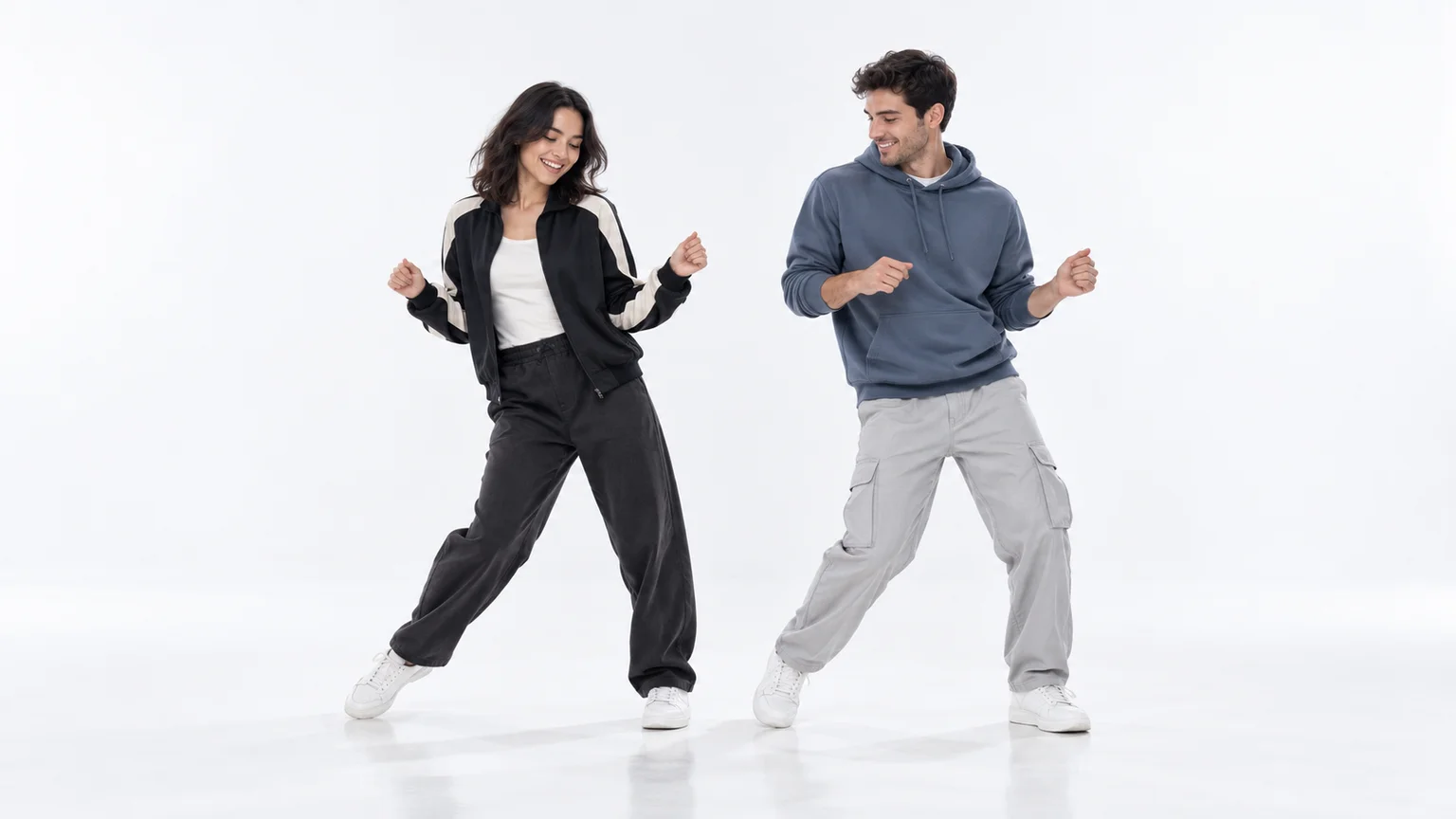 AI scene concept · illustrative image
Add your lead and partner, check the shared scene, then animate your duo.
FROM TWO PHOTOS TO A SHARED ROUTINE
Choose your two dancers, build the scene, and check their faces before generating the dance. No dance practice or detailed prompt is required.
Upload one clear photo of each consenting adult. Photo 1 is the lead on the left; Photo 2 is the partner on the right. Swap the roles before creating your preview if you want a different order.
Start with the bright white studio, or try the neon stage or rooftop. Generate a 16:9 still and check both faces, outfits, and the space around your dancers.
Select an available mode and duration, then animate your approved preview. Choose 15 seconds where supported, download the result, and add licensed music when you post.
A DANCE FOR BOTH OF YOU
Build an original version of the duo format with your own faces, setting, and motion direction.
You do not need a photo together. Give each dancer a separate reference, even if you live in different cities, and review your shared composition before animation.
A clean white studio puts the lead and partner at the center. The neon stage and city rooftop offer alternative backdrops for your dance video.
Upload, preview, animate, and download in your browser. The motion direction starts with the lead, brings the partner forward, and finishes with a shared rhythm.
THE DUO FORMAT
The NEON duo format pairs a lead dancer with a partner who steps out from behind and joins the routine. The bright white studio, staggered entrance, and side-by-side finish give the clip its recognizable structure.
This A2O LITE NEON AI dance generator creates an original scene and motion from your two photos. It uses prompts and your approved preview to guide the performance. The moves and likeness can vary; exact music-video choreography is not guaranteed.
Use one adult per photo with a clear front-facing face and even light. Full-body photos help carry outfits into wide shots. Avoid group photos, covered faces, heavy filters, and cropped limbs.
Where supported, optional audio creates original sound. The NEON recording is not bundled. Add music you are allowed to use in your editor or social app, and adjust the timing to suit your clip.
PICK YOUR DANCE PARTNER
Put the friend you would learn the dance with into the partner role, then try swapping who leads.
Make a playful couple dance video from separate photos, with each person’s outfit carried into the scene.
Two photos taken in different places can bring you together in the same virtual studio.
Create a duo with the birthday person and a friend who has agreed to join. Download it and send your message.
BEFORE YOUR FIRST TAKE
Add one photo for the lead and one for the partner, choose a setting, and generate a scene preview. Check both faces and outfits. Then choose an available video mode and duration to animate the preview and download your duo.
You can browse the maker for free. Scene previews and videos are separate paid generations using credits. Each action shows its current cost before you start. Check your balance or the pricing page for available credit packs.
Yes, when the selected video mode supports 15 seconds. This page starts with a 15-second option for Seedance 2.5. Other modes may offer different lengths; the maker shows the currently available durations. The shared preview is widescreen 16:9.
The original NEON recording is not included. Supported modes can create optional original audio. Add licensed music in your editor or social app and adjust the timing before publishing.
Yes. Upload a separate photo of each consenting adult. Photo 1 supplies the lead on the left, and Photo 2 supplies the partner on the right. Clear photos and the preview step help you check both people’s likeness before animation.
A2O LITE NEON names the dance inspiration. This maker uses the image and video models available on this site. Current modes, duration choices, audio options, and credit costs appear in the generator.
It is a browser tool that combines two reference photos into a shared scene and an original NEON-inspired duo video. You choose the lead, partner, setting, and duration, review a paid still preview, then animate it.
This maker needs two separate photos, with one consenting adult in each. A group photo can make role assignment less reliable. For a solo dance from one photo, try the AI Dance Video Maker linked below.
The prompts guide a lead opening, a partner entrance, and synchronized side-by-side movement. This is an original AI interpretation, so exact choreography, face preservation, and beat matching can vary. Review your preview and edit the finished clip as needed.
This is an independent creative tool inspired by the duo format. It is not an official A2O LITE or A2O Entertainment service, and the original music video and recording are not included.
Failed tasks follow the site’s automatic credit refund flow. Images and videos are charged separately. A successful scene preview remains available if the animation fails, so you can try animating it again.
Choose who leads and invite a friend into the scene. Make your own A2O LITE NEON-inspired AI dance video.