Hotel Lobby video maker from photos
Two separate reference photos become one shared scene. Pair friends, a couple, a person and a pet, or two pets; check their likeness in the preview.
HomeHotel Lobby AI Maker
TWO PHOTOS. ONE MIC. YOUR DUO.
Give your photos the hanging-mic moment. This Hotel Lobby AI video maker brings two people or pets into one scene, ready for playful gestures and a shared rhythm.
Review the still preview first, then choose to animate it.
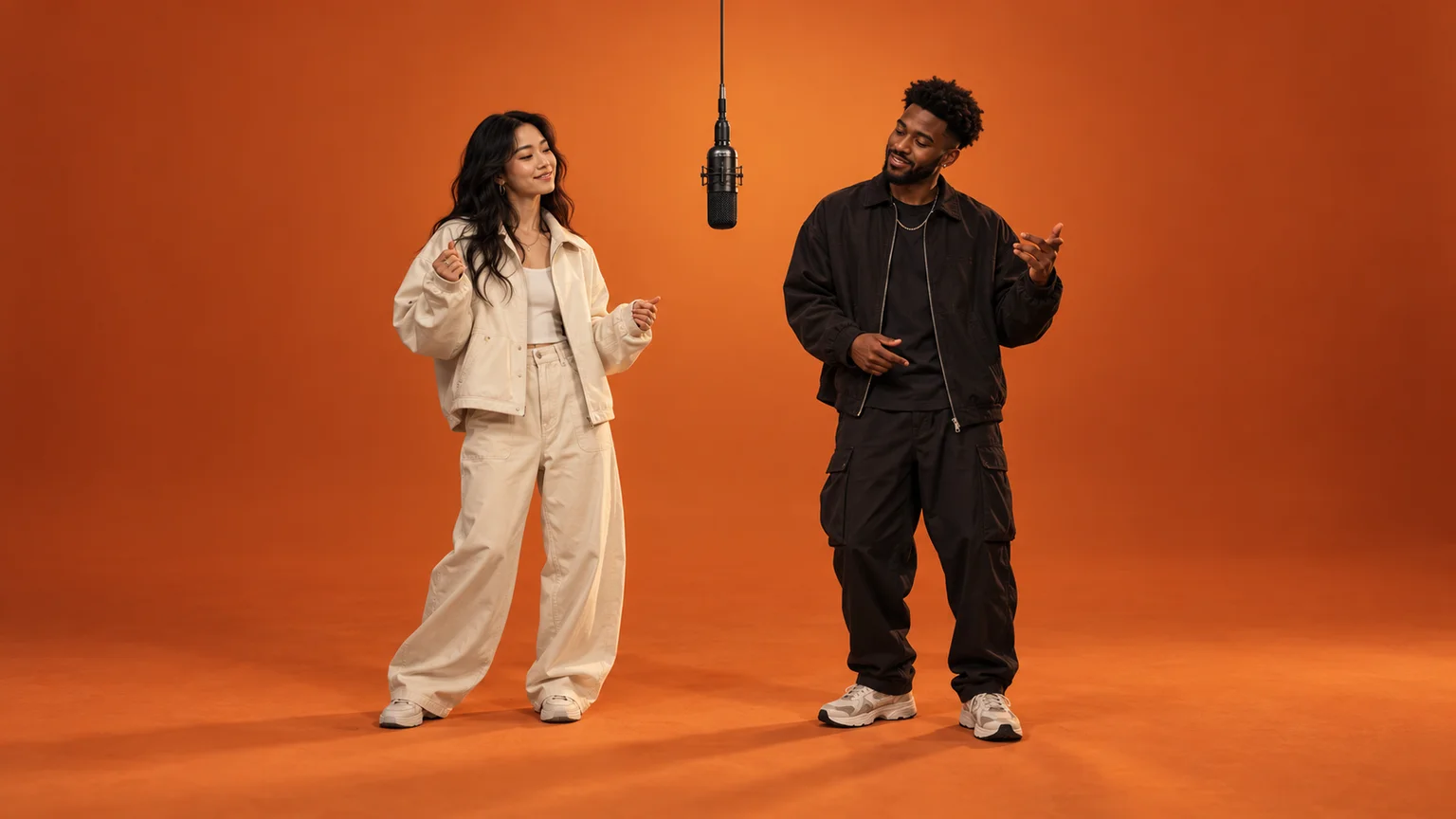 AI scene concept · illustrative image
Bring two photos into one hanging-mic scene. Check the preview, then animate your duo.
FROM TWO PHOTOS TO A MIC MOMENT
Build your duo scene first. Review the subjects and setting before spending credits on the video step.
Upload one clear photo per person or pet. Photo 1 becomes the left subject; Photo 2 becomes the right. Use photos you own or have permission to use.
Pick the orange studio, neon stage, rooftop, or classroom. Generate a 16:9 still preview and check both subjects around the suspended microphone.
Choose an available video mode and duration. Seedance 2.5 starts at 15 seconds here and supports up to 30. Download your clip and add a licensed sound when posting.
YOUR DUO. YOUR TAKE.
Start with the hanging-microphone format, then choose the setting and motion for your own version.
Two separate reference photos become one shared scene. Pair friends, a couple, a person and a pet, or two pets; check their likeness in the preview.
Choose a warm orange studio, a neon stage, a city rooftop, or a classroom. Each preset keeps the duo and suspended mic at the center.
Upload, preview, animate, and download in your browser. Add a short motion note for alternating gestures, a nod, or a gentle sway.
THE IDEA BEHIND THE TREND
The Hotel Lobby meme format places two subjects beside a hanging microphone in a shared set, often an orange studio. They take turns with gestures, nods, and rhythmic reactions while the camera stays steady.
This Hotel Lobby maker creates an original scene from your photos using the site's image and video models. It guides the duo, microphone, setting, and motion through a preview you can check before animation.
Use one person or pet per photo, with a visible face and similar lighting. Avoid heavy filters and obstructions. For pets, show their face, coat, and natural posture clearly.
Optional generated audio uses original sound; the Hotel Lobby recording is not included. Add licensed music in your social app or editor. Exact lip sync and automatic beat matching are not guaranteed.
BEFORE YOU TAKE THE MIC
Upload one photo for each subject, select a scene, and generate a still preview. Check the left and right subjects, then choose an available video mode and duration to animate. Download the finished clip from the output panel.
You can explore this page for free. Scene previews and videos are separate generations that each use credits. The current cost appears before each action; check your balance or the pricing page for credit packs.
Yes, when the selected model supports it. Seedance 2.5 defaults to 15 seconds on this page and supports up to 30 seconds. Other modes may offer 5 or 10 seconds; use the durations shown in the maker.
The original recording is not included. Where supported, you can enable original generated audio. Add music you are allowed to use through TikTok, Instagram, or your editor when publishing.
Yes. Upload a separate, clear photo of each person with their permission. The first reference goes on the left and the second on the right. Review both faces before animating, since AI likeness can vary.
Hotel Lobby describes the creative format and scene presets. Generation uses the image and video models available on this site. The maker shows current model availability, durations, and credit costs.
A Hotel Lobby maker turns two reference photos into an original hanging-microphone scene and short video. This browser-based tool lets you upload, choose a set, review a paid preview, and then animate it.
Yes. Use one clear person or pet per photo. You can pair a person with a pet or use two pets. The scene prompts keep each animal's species and natural posture; inspect the preview before animating.
No exact match is promised. The maker guides alternating gestures and small rhythmic movements in a steady shot. AI motion varies, so add your chosen sound and adjust timing in your editor if needed.
Failed tasks use the site's automatic credit refund flow. Image and video generations are billed separately. A successful scene preview remains usable if video generation fails, so you can retry animating it.
Start with two photos and a scene. Make a Hotel Lobby AI video that feels like your own.