
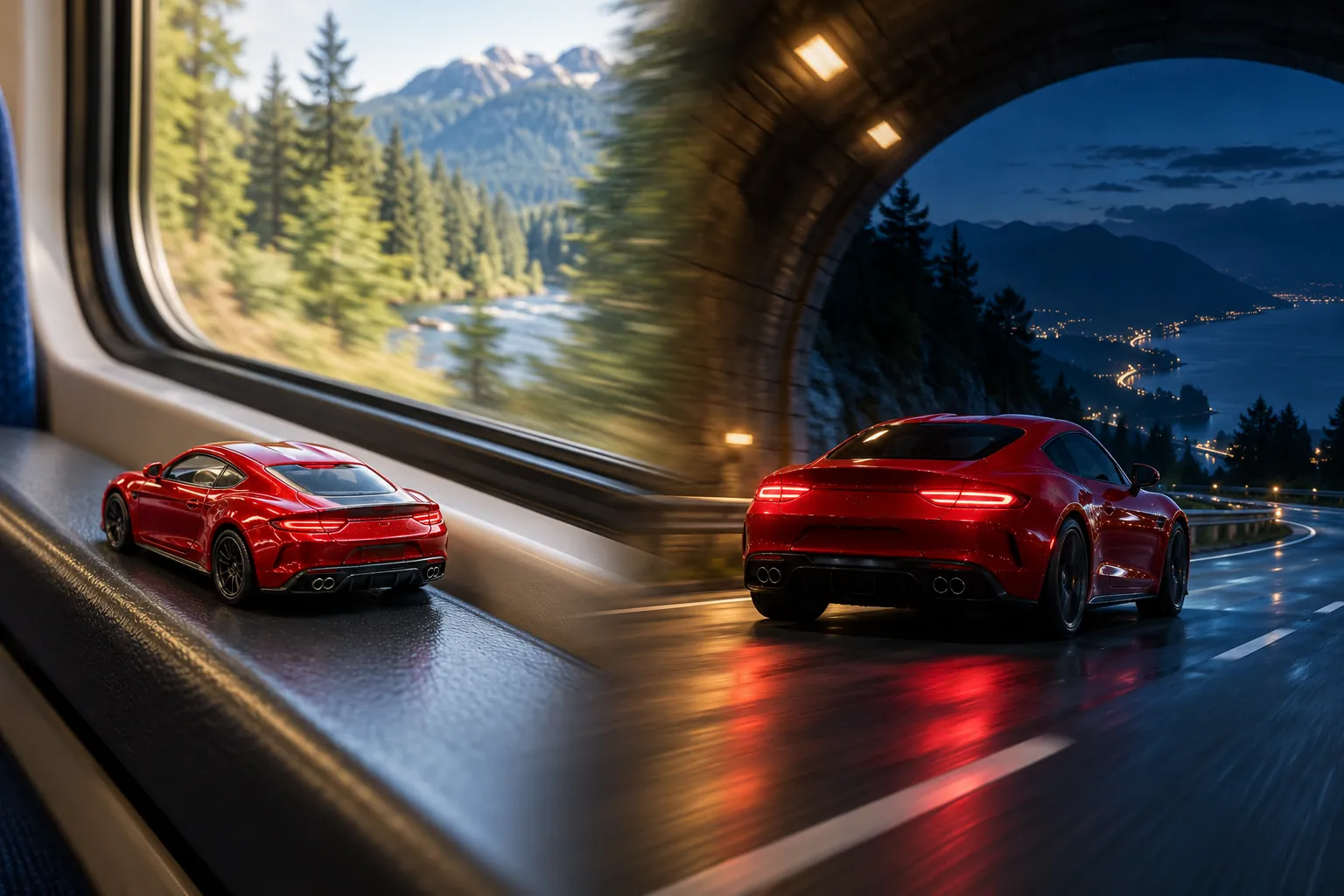
Forest to night highway
Pines slide past the window before the car emerges onto a softly lit highway.
HomeToy Car to Real Car
ONE CAR. TWO SCALES.
Your car becomes a miniature on a train window ledge, slips into a dark tunnel, then emerges life-size on the road. Make the transformation from one photo with our Toy Car to Real Car AI video maker.
Choose a scene, approve the generated opening frame, then animate it. Image and video generation use credits separately; each price appears before you start.
 AI scene concept
Bring one car photo. Choose a scene and format, approve a paid scale-model preview, then animate the tunnel reveal. Each stage shows its credit cost before you generate.
HOW IT WORKS
The scene direction is ready. Bring a clear car photo and check the miniature before committing to the video.
Upload one JPG, PNG or WebP up to 10 MB. Choose one of six settings and a vertical, square or widescreen frame.
Use the displayed image credits to create a miniature of your car on a train window ledge. Check its shape and paint before animating.
Choose an available video model, duration and audio setting. Review the separate video credit cost, generate, then download the finished clip.
THE TRANSFORMATION
These are the intended story beats. The AI interprets the movement and transition, so exact timing and vehicle details can vary.
The car sits small against the window frame as the landscape passes outside. Its body shape, paint and wheels guide both scales.
The train enters a tunnel. The cabin dims and the tail lights glow while the window ledge lines up with the road for a match-cut.
A full-size version continues onto the road. A smooth following camera carries the reveal into a cinematic drive.
CHOOSE THE JOURNEY
Each setting changes the view outside the train and the road after the tunnel. Your car remains the subject.
Pines slide past the window before the car emerges onto a softly lit highway.
Open water and a coastal train ride lead to an atmospheric seaside road.
Warm hillside light gives way to a lit parking deck for the full-size reveal.
Amber trees outside the carriage transition into a city tunnel and urban road.
Golden farmland and a fading sky set up a quiet expressway drive at dusk.
Dusk hills flow into a night bridge, with city lights framing the moving car.
FROM PHOTO TO REEL
Build a miniature-to-real reveal for a car enthusiast edit, a collection showcase or a social post. This toy car transformation video maker prepares the scene prompt so you can focus on the car, setting and framing.
Use 9:16 for Reels, TikTok and Shorts, 1:1 for a square feed, or 16:9 for a wider road shot. The video follows the approved preview's aspect ratio. Check the finished result before sharing.
Explore more AI video effectsQUESTIONS BEFORE YOU CREATE
It is an AI transformation clip in which a miniature car on a train window ledge becomes a matching full-size car after a tunnel transition. This generator uses your car photo to build the opening scene and guide the animation.
Upload one car photo, select a scene and aspect ratio, and generate the opening image. Once you approve that preview, select the video settings and generate the animation. The scene prompts are built in; an extra motion note is optional.
No. Use a clear photo of a real car or a die-cast model. The image step creates the miniature on the train ledge. A full-car side or three-quarter view usually gives the model more useful detail than a tightly cropped shot.
Yes, the maker works in a mobile or desktop browser. Choose 9:16, 1:1 or 16:9 before generating the preview. The resulting video inherits that frame, so choose vertical for short-video platforms or widescreen for a wider composition.
The maker starts with 15 seconds when the selected model supports it. Available durations and resolutions come from the current model configuration and are shown in the form. This is an original AI interpretation, with no fixed 14-second timing guarantee.
The original viral soundtrack is not included. Models with audio can generate original sound, and some offer a sound toggle. The maker shows the selected model's audio options and price before generation.
Generation uses your account credits. The opening image and video are two separately billed steps, with each cost shown before you start. Model, resolution, length and audio settings can affect the video price. See pricing to add credits.
A task that fails returns the credits charged for that task through the existing task system. A successful opening image remains a separate completed task if the later video fails. Check the task status, then retry when ready.
The prompts ask the AI to preserve the car's shape, paint and wheels across both scales, but exact matching is not guaranteed. Badges, plates, reflections and small details can change. Check the preview before animation and review the final video.
Use your own photo or one you have permission to upload and transform. Avoid identifiable people in the image. This is an independent creative tool and does not imply endorsement by a car manufacturer, toy brand or social platform.
Start with one photo and make a train-window transformation that puts your car at the center.