
Lift it over the keeper
The striker approaches the onrushing goalkeeper and chips the ball into space. Choose Chip the keeper for a focused short clip.
HomeOzil Goal AI Video Maker
YOUR PHOTO. YOUR MOMENT IN FRONT OF GOAL.
Take your photo onto the pitch. This Ozil goal AI video maker creates a football scene with you as the striker, then brings a chip, a clever feint or a full goal attempt to life.
Preview the scene before animating. Each step uses credits; costs appear in the maker. AI movement and likeness can vary.
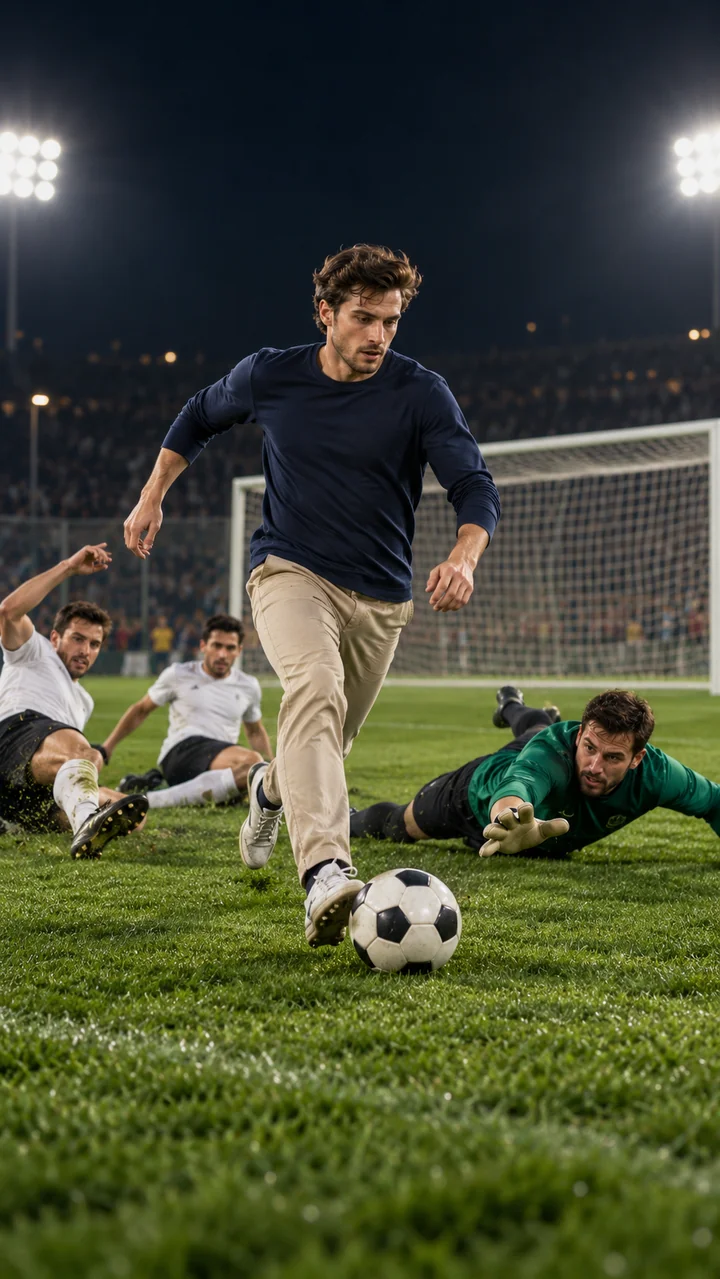
Everyday outfit. Extraordinary finish.
AI concept image · illustrates the scene, not a generated video result
Upload one portrait, review your vertical football scene, then animate your chosen goal action.
FROM YOUR PHOTO TO THE PITCH
Use this online Ozil goal video maker in three steps. Check the face and framing before moving from a still preview to a video.
Upload one JPG, PNG or WebP image, up to 10 MB. Choose a clear face and an unobstructed outfit, with permission from the person pictured.
Choose Full goal, Chip the keeper or Defender feint. Generate a vertical football scene and review your face, outfit, ball and goal position.
Select an available model, supported duration and audio option. Generate the clip, then download it for TikTok, Reels or YouTube Shorts.
THE FOOTBALL MOMENT BEHIND THE MEME
The full-goal preset asks for this sequence; the shorter presets focus on one move. For the full attempt, choose 15 seconds or more when available. Exact timing and choreography depend on the model.
The striker approaches the onrushing goalkeeper and chips the ball into space. Choose Chip the keeper for a focused short clip.
A calm touch sets up the next move as the keeper is left behind. The maker uses your approved scene as the starting frame.
The full sequence asks for two defenders to slide past before a finish into the open goal. Defender feint concentrates on the change of direction.
THE STORY OF THE TREND
The trend imagines ordinary people scoring a goal inspired by Mesut Özil’s winner for Arsenal at Ludogorets on 1 November 2016. Arsenal won 3–2, with Özil scoring in the 88th minute after beating the goalkeeper and defenders.
Our Mesut Ozil goal AI video maker generates an original scene from your photo and guided motion prompts. A familiar outfit on a football pitch makes the contrast fun. It creates a new interpretation of the idea rather than reproducing a fixed match clip.
Read UEFA’s original match reportUse one person, even lighting and a front-facing or slightly turned face. Skip sunglasses, masks and heavy filters. A waist-up portrait with a distinctive top helps separate the striker from other players. Check the preview before animating.
The vertical scene suits TikTok, Reels and Shorts. Choose generated audio when the model offers it, or add your own licensed sound afterward. Label the result as AI-made when sharing.
The presets already describe the pitch and football movement. Add a short motion note for camera style or a celebration. Keep it focused: asking for several unrelated actions makes the goal harder to follow.
Keep my face and outfit consistent. Track the striker toward goal, chip the rushing keeper, control the ball, pause as defenders slide past, and finish into the empty net. Use a smooth vertical shot with natural stadium ambience.
BEFORE YOU KICK OFF
Upload one clear portrait, choose an action preset and generate a football scene. Review the still image, then select a video model and duration to animate it. Scene creation and video generation are separate paid actions.
Yes. The presets supply the scene and motion instructions, so you can upload, preview, animate and download in your browser. An optional motion note lets you suggest a camera move or celebration.
The page is free to explore. Generating a scene preview and a video each uses credits. The maker shows each cost and the combined preview-plus-video cost before you generate. Sign in to use your credits or visit Pricing for credit packs.
This maker creates an original, prompt-guided version. It does not transfer a fixed reference video or promise identical moves and timing. Select a duration offered by your model; Seedance 2.5 supports up to 30 seconds. Use 15 seconds or more for the full goal, or a single-move preset for shorter clips.
Audio depends on the selected model. Where supported, the maker lets you request generated sound; some models include it automatically. Sound details can vary. You can also add licensed crowd audio or music in your editor.
The photo guides the striker’s appearance, and the scene preview lets you inspect the result before paying for video. Clear faces and visible clothing help. Likeness, ball physics and the number or movement of other players can vary in AI-generated output.
Failed tasks follow the site’s automatic credit return flow. A successful scene preview remains usable if the video step fails, and each step is billed separately. Use Refresh task status if polling stops, or check your image and video history after leaving the page.
This is an independent creative tool. It is not affiliated with or endorsed by Mesut Özil, Arsenal, UEFA or any other club or competition. Only upload a photo you own or have permission to use, and present the output as an AI-made fan video.
Create your version with the Ozil goal AI video maker for TikTok, Reels and Shorts. Start with the scene, then choose your move.