
Human: your own giant ramp run
A clear photo guides the runner’s face, hair and outfit. The finishing approach brings your character back toward the camera after the climb and slide.
HomeGiant Ramp Climbing AI
ONE PHOTO. ONE IMPOSSIBLE CLIMB.
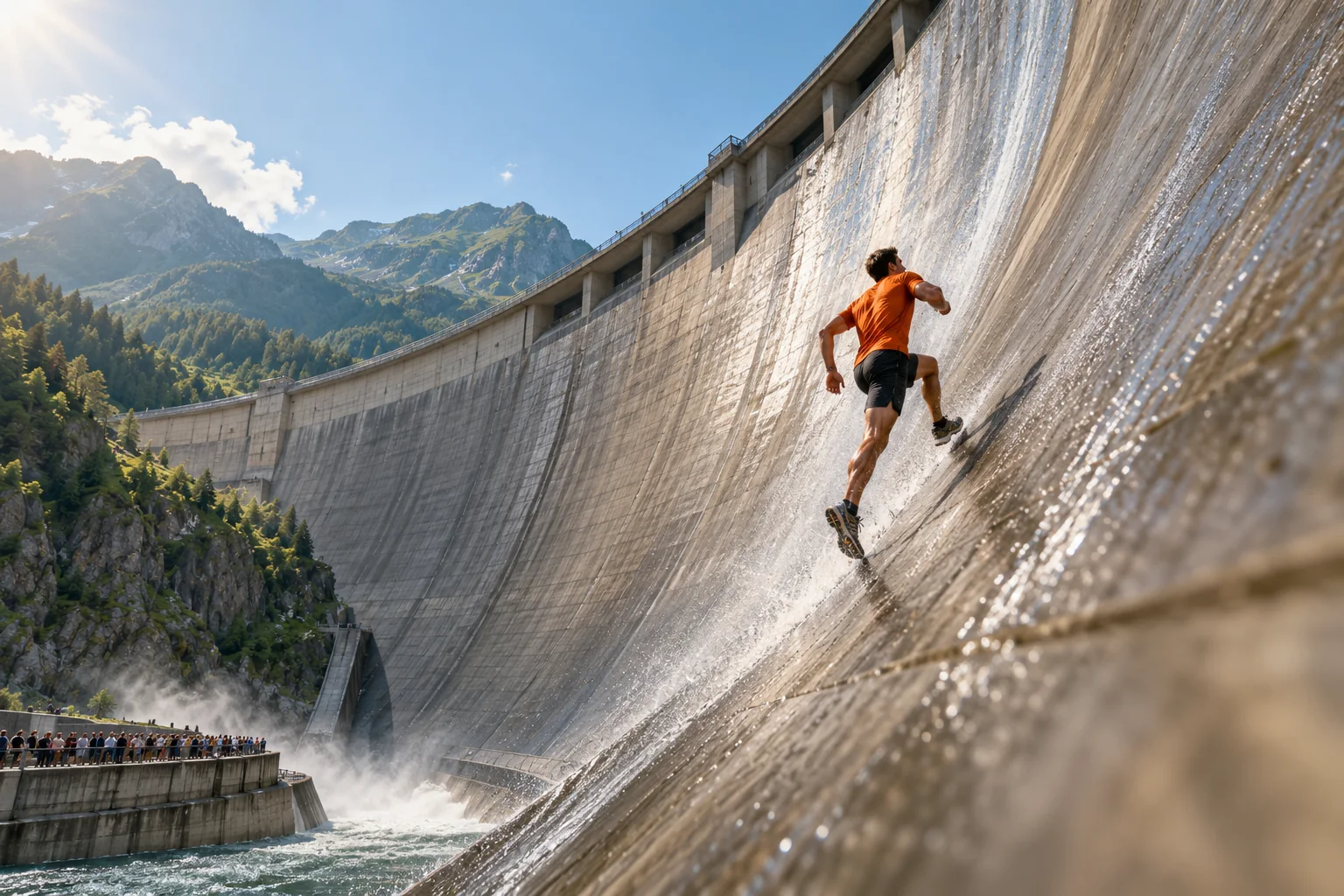
Send yourself—or your pet—up a towering curved dam, over the top in a backflip, and sliding back to the camera. This Giant Ramp Climbing AI video maker builds the stunt from one photo.
Create and review a scene preview first, then animate it. Each generation uses the credits shown before you start.
 AI concept illustration
Choose Human or Pet, upload one photo, review your dam wall scene, then animate the climb, backflip and slide.
FROM PHOTO TO DAM WALL RUN
This giant ramp climbing video maker from a photo prepares the starting scene first. Review your subject and the wall before moving on to animation.
Choose Human or Pet, then upload one clear photo. A full-body image helps show the outfit or all four paws. Use JPG, PNG or WebP up to 10 MB.
Generate your subject at the foot of a huge wet concrete ramp, with spectators behind barriers. Check the face, body or fur before paying for the video.
Select an available model and duration, optionally guide the motion, and generate the run. Download a successful result or find it in your video history.
THE GIANT RAMP CLIMBING SEQUENCE
The preset guides one continuous fictional stunt. Fifteen seconds gives the action more room; exact choreography and timing vary with the model and selected duration.
Your character accelerates from the base and runs up the towering curved wall. Pets climb on four legs.
The climb leads into a dramatic backflip above the lip of the ramp, with the dam and crowd still in view.
The subject returns to the wet concrete and slides toward the bottom through a spray of water.
The runner celebrates near the lens; a pet trots forward with a playful bounce. The impossible run becomes your closing moment.
YOUR PHOTO. YOUR RUN.
Keep the dramatic ramp-climbing idea and choose who takes the spotlight. The AI uses your photo to guide the subject throughout the scene and video.
A clear photo guides the runner’s face, hair and outfit. The finishing approach brings your character back toward the camera after the climb and slide.
Let a dog, cat or another pet lead the clip. The preset asks for animal paws, natural anatomy and recognizable fur markings, with a playful finish.
Choose your scene quality, compare available video settings and check the live credit quote. The preview gives you a chance to assess the subject before animating.
THE GIANT RAMP AI TREND
Giant ramp climbing is an AI stunt-video idea: a person races up an enormous curved dam, flips and slides back down. You may also see it called the dam wall run, AI wall run or giant ramp challenge. This maker reimagines that sequence with your photo.
Use the giant ramp climbing video maker for a playful self-portrait, an unexpected dog or cat clip, or a vertical TikTok, Reels or Shorts post. The scene is AI-generated fiction; label it accordingly when sharing.
Upload one well-lit subject with the whole body visible when possible. For people, keep the face and outfit unobstructed. For pets, show the paws, ears, tail and fur markings. Avoid group photos and heavy filters.
Available models may generate original audio. This maker does not copy another creator’s video or attach its soundtrack. Add music or platform sounds you are allowed to use when you publish.
BEFORE THE CLIMB
It makes a fictional dam wall run from one human or pet photo. Generate a scene preview, check the subject at the foot of the giant ramp, then animate a sprint, backflip, slide and celebration using an available video model.
Scene previews and videos are separate credit-based generations. Each action shows its current cost before you start, and the maker displays the combined quote when both are available. Model, duration, audio and preview quality can affect the price.
The maker starts with a 15-second selection. The available model determines supported durations and resolution; if that model does not offer 15 seconds, choose from its listed settings. The opening scene uses vertical 9:16 framing for TikTok, Reels and Shorts.
No original recording or trend song is included. The selected model may offer generated audio, and its settings show whether sound is optional. Add licensed music or a suitable platform sound in your publishing app.
Use one sharp photo of an adult or a single pet, preferably with the full body visible. Show a person’s face and outfit clearly, or an animal’s four paws, ears, tail and markings. Upload JPG, PNG or WebP up to 10 MB and use photos you have permission to upload.
No editing app or full written prompt is required. Choose Human or Pet, upload your photo and generate the starting frame in your browser. This is an independent AI maker; it creates a new scene and animation rather than editing the original trend clip.
Yes. Choose Pet before generating the scene. The preset guides a four-legged climb, a flip, a slide on animal paws and a playful approach to the camera. Check the generated anatomy and fur details before animating or sharing.
Videos made here are AI-generated fictional stunts. The giant dam sprint and backflip are creative effects, not instructions for a real activity. Present the result as AI content when posting it to TikTok, Reels or Shorts.
It depends on the selected model, duration and provider queue. The maker shows the task status while processing. Submitted tasks and successful results are available in your image or video history; a fixed completion time is not guaranteed.
Failed tasks follow the site’s existing credit refund process. A successful preview can be reused if you retry a failed video. Completed generations may vary in face details, anatomy, choreography and camera movement, so review the result before sharing.
TRY ANOTHER IMPOSSIBLE SCENE
Explore another trend with the same scene-preview and video workflow.
Choose yourself or your pet, preview the giant dam scene, then turn it into a vertical run, flip and slide video.