
Classic street freeze
An easy sidewalk walk leads to a light shoulder bump. Coffee droplets and sunglasses stop in midair while the camera gently moves toward the surprise.
HomeSidewalk Collision AI Video Maker
ONE PORTRAIT. ONE PERFECTLY TIMED PAUSE.
A casual walk. An unexpected bump. Coffee and sunglasses hanging in the air. This Sidewalk Collision AI video maker turns one portrait into your own cinematic time-freeze street scene.
One photo goes straight to video. Choose your scene, review the live credit quote and generate in your browser.
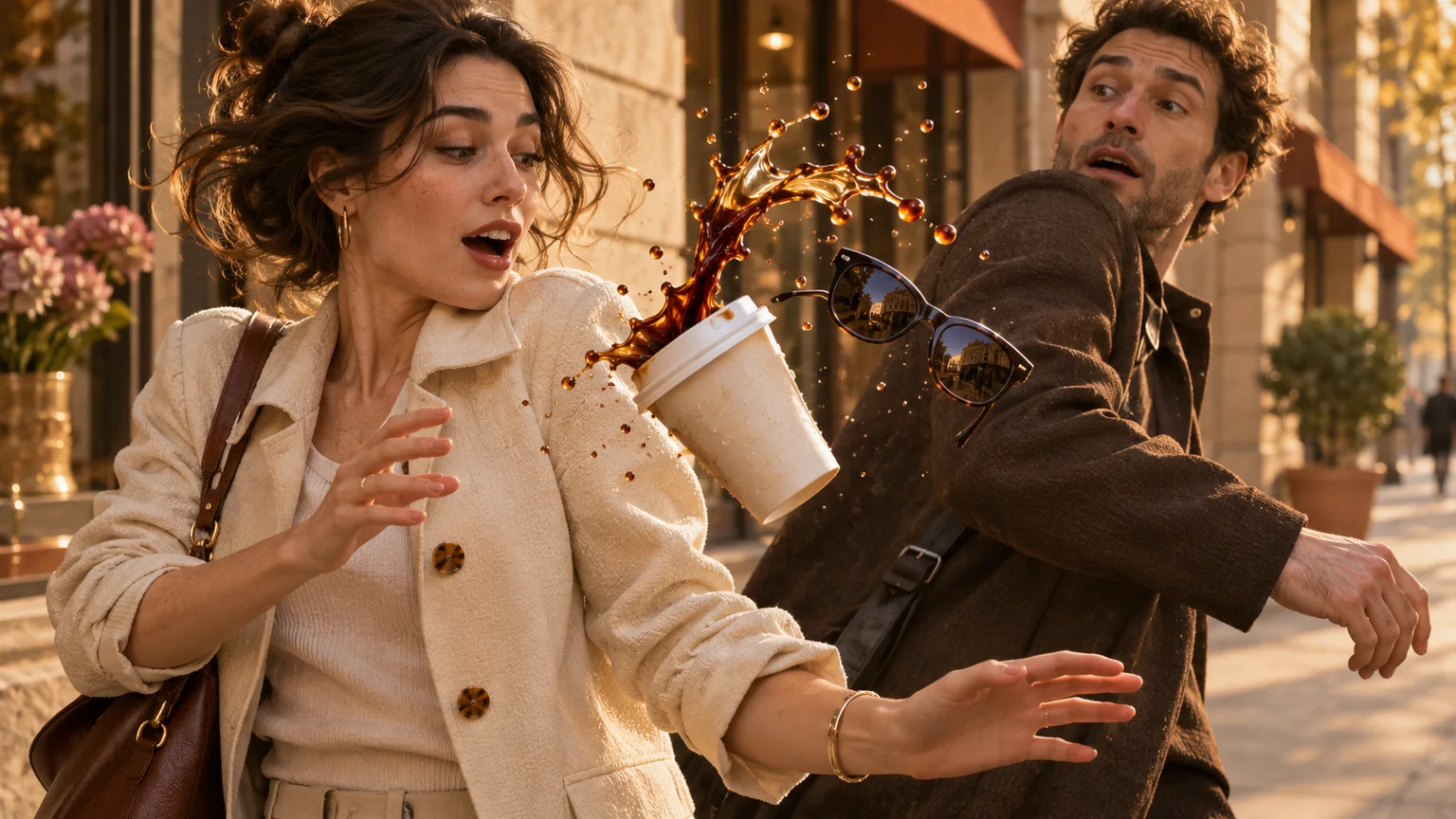 AI scene concept · illustrative image
Add one portrait, choose a camera feel and create a street scene with frozen coffee and floating sunglasses.
FROM ONE PORTRAIT TO A TIME-FREEZE SCENE
The sidewalk collision AI maker supplies the scene direction. Upload one portrait, choose a camera feel and let the model build a new street sequence around your character.
Upload one well-lit photo of a consenting adult with an unobstructed face. A waist-up or full-body image gives the walking scene more visual context.
Select Classic or Cinematic, an available resolution and duration, and optional generated audio. Check the credit quote before generating.
Sign in to submit. Follow the task status, preview your finished clip and download it for Reels, TikTok or Shorts. Your video also stays in your account history.
CHOOSE THE CAMERA FEEL
Both directions follow the same walk, bump and suspended coffee moment. Pick a grounded street shot or give the frozen objects a more dramatic close-up.
An easy sidewalk walk leads to a light shoulder bump. Coffee droplets and sunglasses stop in midair while the camera gently moves toward the surprise.
Follow the walk into the collision, push closer to the suspended splash and floating sunglasses, then return to your character’s reaction.
The template directs a complete scene rather than a static freeze filter. AI controls the exact framing, movements and timing, so each take can differ.
Your character walks along a city sidewalk carrying a takeaway coffee, with recognizable facial features and clothing guided by the uploaded photo.
A fictional adult passerby brushes shoulders with your character. The coffee tips and the sunglasses lift into the air in a staged, non-injurious moment.
The action pauses around a suspended coffee splash and floating sunglasses. The camera draws attention to the droplets and the weightless objects.
The camera returns to your character’s surprised expression, making the time-stop moment feel like a tiny street story.
A bullet-time coffee effect focuses on the suspended splash. This sidewalk collision AI video generator gives it a setup and a payoff: the walk, a gentle bump, the frozen objects and your reaction. Your portrait guides a newly generated scene rather than a face pasted onto existing footage.
Choose one adult in even light, without sunglasses covering the eyes, heavy filters or another face in the background. A waist-up portrait often works better than a tightly cropped selfie. The generated scene adds the coffee and floating sunglasses.
Request generated street ambience and a subtle freeze-moment sound, or choose silent output where the model supports it. Add captions and music you are licensed to use in your social app after downloading.
The maker handles the main action and camera direction. Add a short note for an expression, lighting or small styling detail without having to write the whole scene.
Place the person from the portrait on a city sidewalk with a takeaway coffee. After a gentle shoulder bump with a fictional adult passerby, suspend the coffee splash and sunglasses in midair. Move toward the frozen objects, then return to the main character’s surprised reaction in a vertical cinematic scene.
It creates a new street scene from one adult portrait: a walk, a gentle accidental collision, coffee and sunglasses suspended in midair, and a final reaction. The template gives an AI video model the scene direction.
Yes. Upload a portrait and choose the available scene and video options. The maker supplies the main prompt and generates the scene. You can preview and download the result in your browser; no timeline editing or CapCut template is required.
Use a clear photo of one consenting adult, preferably waist-up or full-body in even light. Keep the eyes and face unobstructed and avoid group pictures or heavy filters. You do not need a coffee cup or sunglasses in the source photo.
Generation requires an account and uses credits. The maker shows the current quote for your selected model, duration and audio before you submit. There is no separate scene-image charge; check your account for available credits.
The template requests vertical 9:16 video and starts at 10 seconds. Resolution and duration choices come from the models currently enabled on this site. Longer clips can give the walk, freeze and close-up more room.
You can request original generated audio, or silent video where supported. No existing trend song is supplied. Add licensed music and any captions in TikTok, Reels or Shorts after downloading.
Both use a suspended coffee splash, but this template adds a sidewalk walk, a light collision, floating sunglasses and a reaction to form a short story. Identity, hands, droplets, camera motion and exact timing can vary. The hero artwork is an illustrative AI concept.
Use the task status and retry controls on this page, or reopen your video history. Failed generations follow the site’s credit-return rules. Generating another version of a successful video creates a new task and uses the displayed credits.
One portrait, a light collision and a splash that seems to stop time. Create your own sidewalk scene and preview the surprise.