
Solo · Your own gear check
Upload one portrait. Your character wears a tuxedo and bow tie, presents theatrical props and finishes with a deadpan look in a 4:3 frame.
HomeMabel End of Watch AI Maker
YOUR FACE. YOUR PARTNER. THE LOCKER SCENE.
Step up to the blue lockers, show the kit, and let your partner steal the shot. This Mabel End of Watch AI video maker turns one or two portraits into a cinematic 10-second locker-room meme.
Choose a scene and add photos. The template supplies the direction; the current credit cost appears before you generate.
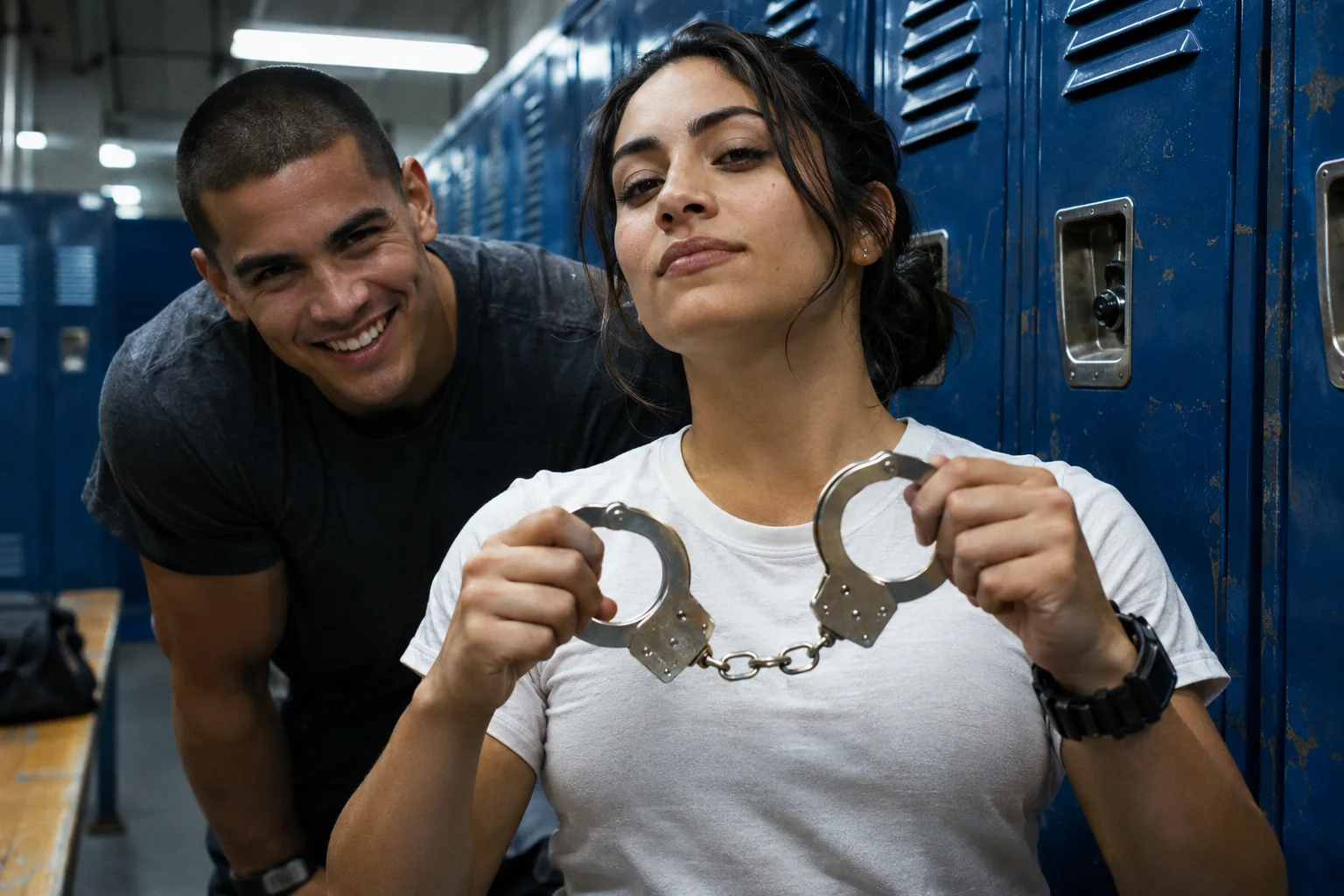 AI scene concept · illustrative image
Pick Solo or Duo, add one adult portrait per role, and let the locker-room gear check begin.
PHOTO TO LOCKER-ROOM VIDEO
Use this End of Watch meme maker in your browser. No movie clip, editing timeline or written prompt is needed to start.
Pick Solo and add one adult portrait, or Duo and add two. Photo 1 is the lead; photo 2 is the partner. Use one person per photo.
Select an available 720p or 1080p mode, choose generated audio or silence, and check the live credit total for your 10-second clip.
Submit your photos, follow the generation status and preview the finished video. Your signed-in video history keeps the task available after you leave.
PICK YOUR SCENE
Both scenes use a close handheld camera and blue lockers. Choose who is in front of the lens before adding your photos.
Upload one portrait. Your character wears a tuxedo and bow tie, presents theatrical props and finishes with a deadpan look in a 4:3 frame.
Upload two separate portraits. The lead wears a white T-shirt; the partner leans into the left of the 16:9 shot while the gear check unfolds.
These are the intended beats of a 10-second take. AI composition, gestures and timing can vary; this is a newly generated scene.
The lead faces a close handheld lens against a wall of blue lockers, with a calm, straight-faced introduction.
In Duo, the second character appears from the left with a grin. Solo keeps the frame on your tuxedo-clad character.
A short sequence presents clearly fictional gear and handcuffs with playful prop handling and small handheld camera movements.
A final close-up and a knowing look end the scene: a ready-made setup for your own group-chat caption.
Turn two portraits into a partner-in-crime joke. Put the serious friend in front and the photobomber in the second upload card.
Use the End of Watch locker room video maker for a reaction clip, a shift-start joke or a cinematic setup, then add an original caption.
Create an independent homage with your own face and a newly generated scene. The result does not reuse movie footage or claim an official connection.
The End of Watch locker-room trend draws on a film-style gear check: blue lockers, a close camera and a partner interrupting a serious moment. This original locker-scene tool creates a fresh fictional version from your photos. It is independent and does not imply an official film, artist or model affiliation.
Use a well-lit, front-facing chest-up photo of each consenting adult. Keep eyes and the hairline visible. Avoid group shots, covered faces and tiny ID photos; Duo needs two separate portraits.
Enable generated audio for original locker-room atmosphere, or make a silent clip. The maker does not provide the film dialogue, Mabel recordings or a licensed trend soundtrack. Add your own licensed audio later if needed.
It is a photo-to-video maker for a fictional locker-room gear-check meme. Choose a one-person Solo scene or a two-person Duo scene. This page uses the Mabel End of Watch search wording for an original tool, without claiming a separate model or official partnership.
Yes. Pick your scene and upload your portraits. The maker already supplies the locker room, camera direction and gear-check sequence. A short extra direction is optional.
Duo requires two separate photos: the lead first and the partner second. Solo requires one. Use one person per photo and only adults who have agreed to the use of their image.
Video generation uses credits. The maker shows the site’s current credit cost before submission, based on your resolution and audio choice. It sends portraits directly to video generation, without a separately charged scene-image step.
Both scenes generate a 10-second clip. Solo uses 4:3 and Duo uses 16:9. The available controls show 720p and 1080p modes when enabled on the site. For vertical feeds, place your download on a 9:16 canvas in your editor.
No original song, performer voice or film recording is supplied. Choose original generated atmosphere or silence. Any music you add afterward needs your own rights or a suitable platform license.
The template aims for the recognizable locker-room setup, with your photos guiding identity. It creates a new AI scene, so faces, hands, props and timing can vary. An exact movie reenactment or perfect likeness is not guaranteed.
The maker displays task progress and the completed preview; your video history stores the task too. Failed tasks follow the site’s credit-return rules. Making another version of a successful clip is a new paid generation.
One portrait for a solo gear check. Two for the partner who always interrupts at exactly the right moment.